
Video Panel
Features
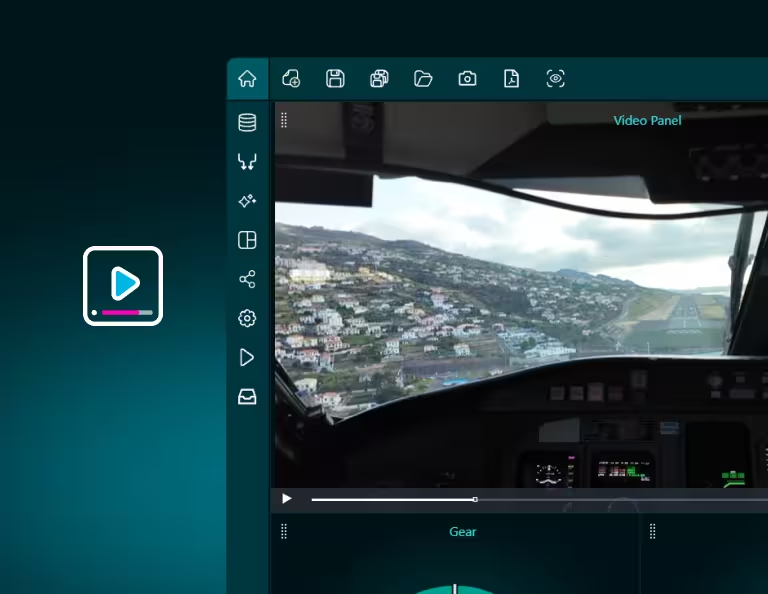
Video Panel
Features
Bring Video Into Your Dashboards
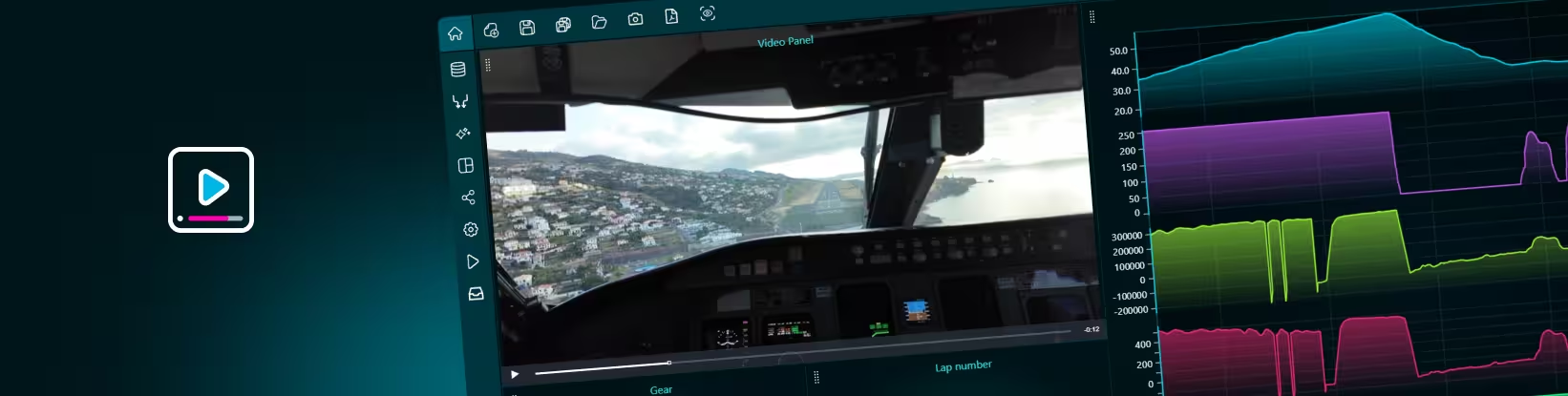
Dashtera’s Video Panel lets you add video directly inside your dashboards, alongside charts, gauges, tables, maps, and other visualizations.
Instead of keeping video and data in separate tools, you can bring them together in one interactive dashboard. This helps users see not only what the data says, but also what was visually happening at the same time.
Video Panel can be used with uploaded videos or real-time video streams. You can display product demos, camera feeds, process recordings, operational footage, training material, motorsport telemetry, equipment behavior, inspection videos, or any other visual content that adds context to your data.
It turns dashboards from static reporting views into richer visual environments where data and video support each other.
Understand the Story Behind the Data
Numbers show that something happened. Video helps explain what happened.
With Video Panel, users can connect visual context with dashboard data in one place. This makes it easier to investigate events, explain patterns, communicate insights, and create more engaging data experiences.
For example, a motorsports dashboard can synchronize cockpit video with telemetry such as speed, RPM, acceleration, tire temperature, gear, and track position. When users review a lap, they can see the car’s behavior and the performance data together, instead of switching between separate tools.
Benefits
- Support real-world monitoring use cases like industrial processes, equipment monitoring, security review, fleet analysis, sports analytics, research, IoT, and live operations.
- See data and visual context together by adding video next to charts and KPIs so users can understand both the numbers and the real-world situation behind them.
- Reduce context switching and avoid jumping between a dashboard, video player, monitoring tool, or separate report. Everything can live in one Dashtera view.
- Explain complex events faster and use video to support incident reviews, process analysis, training, customer demos, and operational reporting.
- Make dashboards more engaging by adding movement, visual storytelling, and media context to dashboards that would otherwise rely only on charts and tables.
Add Overlays, Streams, and Visual Annotations
Video Panel is not limited to simply displaying a video. Dashtera allows users to enrich video content with data-driven visual overlays.
Users can add labels, points, rectangles, paths, and line segments directly on top of the video. These overlays can highlight important areas, mark objects, visualize movement, or connect visual moments with data points from the dashboard.
Dashtera also supports real-time video streams through direct stream URLs, making it possible to build live monitoring dashboards where video and data are displayed together.
Advanced capabilities
- Static video support add uploaded video files to dashboards and play them in a continuous loop. This is useful for demos, training material, recorded analysis, or dashboard visual context.
- Live stream support display real-time video streams directly inside dashboards for monitoring, operations, security, field activity, or live environments.
- Overlay visualizations add visual elements on top of the video, including points, labels, rectangles, line segments, and paths.
- Data-driven positioning use data mappings to control where overlays appear on the video, helping users highlight specific locations, objects, or events.
- Time-based overlays for uploaded videos, overlays can be connected to video timestamps, making it possible to show visual annotations at the right moment in the playback.
Bring your data to life with Dashtera
Start building your dashboards now and unleash your data insights.
Start for Free